Optiwork vs Google Workspace: which is the best platform for your company in 2026?
A direct comparison between Optiwork and Google Workspace: features, pricing, file governance, and data protection. Find out which platform solves more of what your business actually needs.
 Patrick Dal Ponte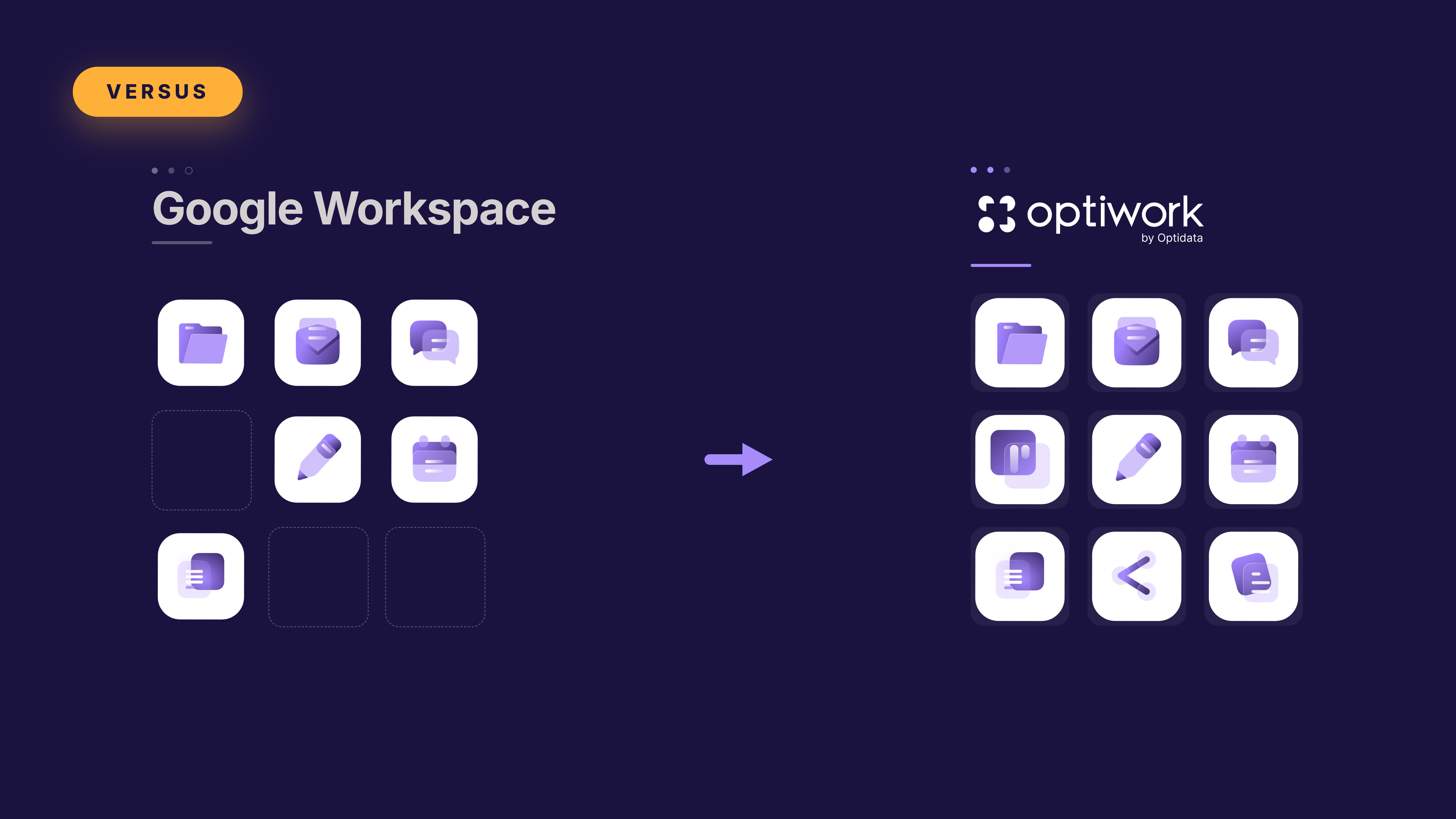
TL;DR
- Google Workspace brings together Gmail, Drive, Meet, Docs, Calendar, and Chat in a productivity suite. Optiwork is a unified platform that includes email, drive, chat with channels, video conferencing, projects, knowledge base, document approval, calendar with public scheduling, forms, corporate social network, and integrated AI.
- Google Workspace Business Standard costs R$81.80/user/month. Optiwork costs R$49/user/month with all modules included.
- Google Workspace does not have native project management, knowledge base (wiki), or document approval. For those needs, you have to contract complementary tools.
- When a company uses Google Workspace and contracts additional tools to cover what is missing, each integration is an adaptation on top of a partial service. Optiwork delivers everything natively, with no adaptations.
Google Workspace and Optiwork overlap on email, storage, and video conferencing, but they start from different propositions. Workspace was built around individual tools that integrate. Optiwork was built to be the single environment a company needs to operate, with native corporate control in every module.
What Google Workspace is
Google Workspace is Google’s corporate productivity suite. In practice, most companies use four things: Gmail for email, Google Drive for files, Google Meet for video conferencing, and Google Docs, Sheets, and Slides for document editing.
Google Chat covers internal communication, but without structured channels by team or topic — only group conversations. Google Calendar is robust and widely used. Gemini, Google’s AI, is available on Standard plans and above.
Workspace does not have structured project management, corporate knowledge base (wiki), document approval, or corporate social network natively.
Google Workspace pricing (values verified in May 2026):
| Plan | Price/user/month | Pooled storage |
|---|---|---|
| Business Standard | R$81.80 | 2TB per license |
| Business Plus | R$128.40 | 5TB per license |
For a fair comparison with Optiwork, the reference plan is Business Standard. The Starter plan has significantly more limited features and does not cover the same scope.
Storage works as a pool shared across the whole organization, calculated based on the number of licenses. When the pool runs out, the company buys extra storage as an additional paid subscription.
What Optiwork is
Optiwork is Optidata’s corporate workspace platform. It brings together in a single system everything a company needs to work: email, drive, chat with channels, video conferencing, projects, knowledge base, document approval, calendar with public scheduling (SmartBook), forms, corporate social network, and integrated AI that generates automatic meeting agendas and summarizes the main topics of incoming messages.
Optiwork’s drive was designed as a corporate environment from the start. Files belong to the company, not adapted from an individual account for business use. Every access is recorded in the audit log, including people outside your company who received access to documents. The Security Center, permissions, and audit work for the whole platform from a single panel.
Optidata holds international SOC 2 Type II certification, with 88 controls audited by an independent third party, covering security, availability, and data confidentiality.
Direct comparison by module
| Module | Optiwork | Google Workspace |
|---|---|---|
| Corporate email | Yes | Yes |
| File storage | Yes (company-owned) | Yes (pool per license) |
| Collaborative document editing | Yes | Yes |
| Calendar | Yes | Yes |
| Video conferencing | Yes | Yes |
| Internal chat | Yes (with channels) | Yes (groups only) |
| Forms | Yes | Yes |
| Integrated AI | Yes | Yes (paid plans) |
| Project management | Yes (native, complete) | No |
| Knowledge base (wiki) | Yes (Papers) | No |
| Document approval | Yes (native) | No |
| Public scheduling (SmartBook) | Yes | No |
| Corporate social network | Yes | No |
| Drive audit history | Yes (native, complete) | Partial (Admin Console) |
| Support open to all users | Yes | No (admins only) |
The difference that most impacts operations: how the drive is designed
Google Drive started as a personal tool and was adapted to corporate use over time. That is reflected in the structure: each user has their own “My Drive,” and Shared Drives are a corporate layer added later.
Optiwork’s drive was designed the opposite way: it is a corporate environment from the origin. Files belong to the company, not the user. When a team member leaves, the files stay. Permissions are set by the organization, not the individual.
In practice, this means the drive audit history records all actions from all users in a single panel: who accessed, downloaded, edited, deleted, or shared each file, with date, time, and device, including people outside your company. The administrator filters and exports that report for data protection compliance with no additional technical configuration.
In Google Workspace, that level of traceability requires Admin Console and Google Vault, available on more advanced plans, with specific configuration.
It’s worth asking directly: can you see today, in a simple way, all files that were deleted from your company in the last month? Which documents were shared with outside people and by whom? If the answer requires opening Admin Console or calling support, that is the difference in practice.
Projects and process documentation
This is the second most common gap among companies using Google Workspace.
Workspace does not have a project management module. Google Tasks covers occasional needs but does not replace a structured tool with kanban, task dependencies, or custom fields. The natural outcome ends up being Asana, Monday, ClickUp, or Trello with additional cost and one more tool to administer.
The same gap exists in internal documentation. Workspace does not have a native corporate knowledge base. For process documentation, manuals, and internal wikis, the most common solution is Notion or Confluence, with more cost and one more separate tool.
Optiwork solves both natively, on the same plan:
Projects has kanban, lists, recurring tasks, dependencies, templates, custom fields, checklists with assignees, and a personal task center per user, all integrated with email, drive, and chat on the same platform.
Papers is the native corporate wiki: page hierarchy, access control, version history, unread content indicators, and external sharing.
Document approval
Another feature Google Workspace does not have natively. Document approval processes in Workspace usually run by email or manual workarounds, with no centralized traceability.
Optiwork has a native approval module: internal and external flows, expiration deadlines, automatic document locking during the process, complete history, and notification at the end of the cycle.
Chat with channels
Google Chat allows creating group conversations. Optiwork’s Talk goes further: in addition to groups, it has structured channels by team or topic since March 2026, created and managed by the administrator, keeping the environment organized without conversation sprawl.
Governance and security
Optiwork’s Security Center brings together in a single place: two-factor authentication (2FA) as a company policy, session control, immediate user blocking, and unified audit history across all modules. An administrator without technical training can configure and operate all of it from a single panel.
Google Admin Console offers robust controls, but distributed across different panels and plans.
A relevant point about support: in Google Workspace, only people with Admin Console access can open a ticket with Google’s support team. In Optiwork, any user in the company contacts the support team directly, asks questions and solves problems without going through the administrator.
Pricing comparison
| Plan | Price/user/month | Projects included? | Knowledge base? | Approvals? |
|---|---|---|---|---|
| Google Workspace Business Standard | R$81.80 | No | No | No |
| Optiwork | R$49.00 | Yes | Yes | Yes |
Values verified in May 2026.
A 50-person company using Google Workspace Business Standard plus Asana and Notion to cover what is missing easily reaches R$127.80 per user per month. Optiwork covers the three for R$49, on the same plan, with all modules included from day one.
See all the details at work.optidata.com/pricing.
Who Google Workspace makes more sense for
Workspace is the right choice if your company has critical integrations already built on the Google ecosystem, such as BigQuery, Looker, or Google Cloud, which would be expensive or complex to migrate.
Who Optiwork makes more sense for
- Wants projects, knowledge base, and document approval without paying for extra tools
- Needs file traceability and data protection compliance without advanced configuration
- Wants chat with channels structured by team, in addition to groups
- Prefers a drive that belongs to the company from day one, not adapted from a personal account
- Wants any user to be able to contact support directly, without depending on the administrator
- Prefers predictable pricing, without discovering over time that what they need costs more than what they contracted
Start the free trial and see how Optiwork works for your type of company.
Prefer to see it before signing up? Schedule a demonstration with our team.
Schedule a demo
See how Optiwork can transform your company's collaboration.