Optidata Work vs Dropbox: Which Is the Best Solution in 2025?
If you're looking for the best cloud storage solution in 2025, read this article to the end for a full comparison between two major market players: Optidata Work, a Brazilian tool by Optidata, and Dropbox, the American platform by Dropbox Inc.
 Juliano Trentin
If you’re looking for the best cloud storage solution in 2025, read this article to the end for a full comparison between two major market players: Optidata Work, a Brazilian tool by Optidata, and Dropbox, the American platform by Dropbox Inc.
Plus, if you’re not yet fully familiar with these platforms, we’ll provide an overview of both, their key differences, and which one makes the most sense for your needs.
What Is Dropbox
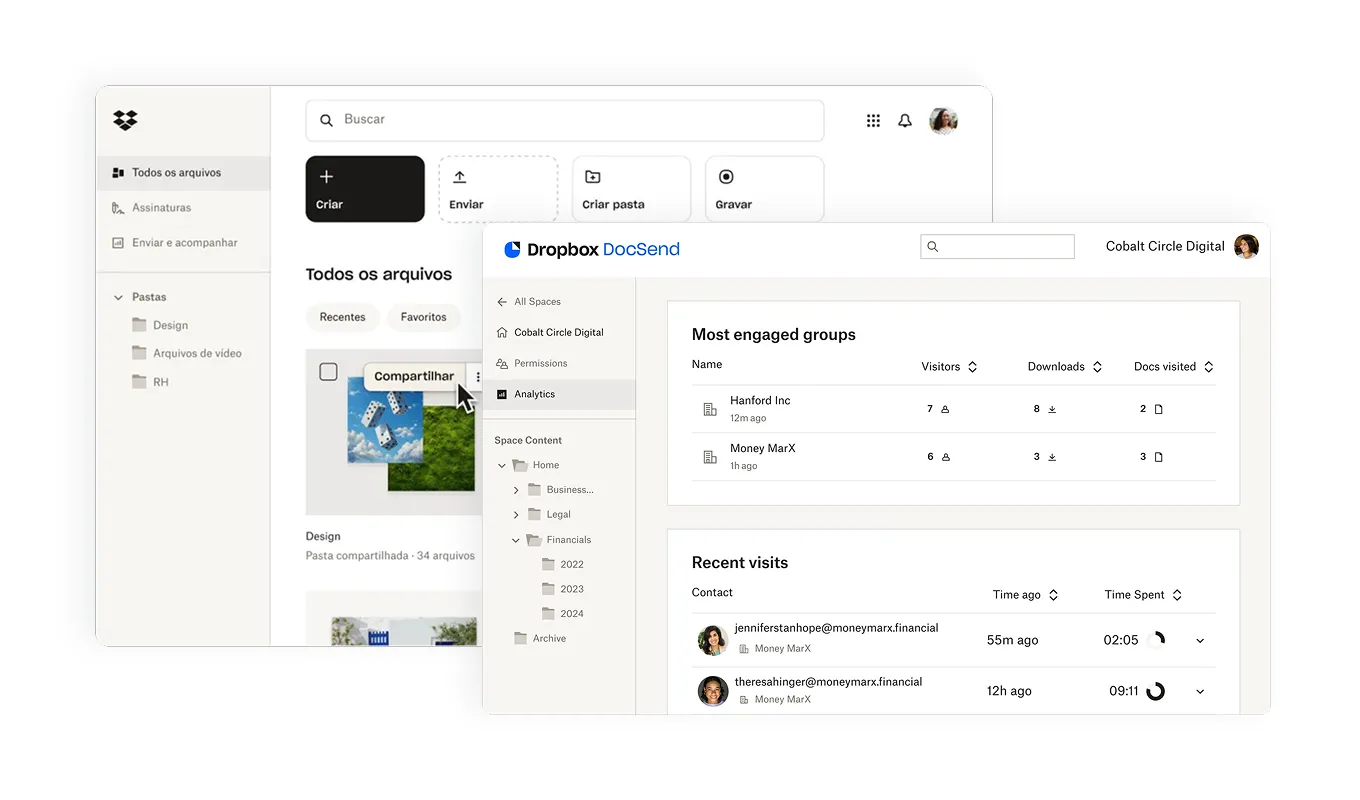
Dropbox is a cloud storage platform that lets you save, access, and share files securely and conveniently from any internet-connected device.
Launched in 2007, it won over the market with its intuitive interface and seamless automatic synchronization across devices.
Its focus is on simplifying digital work by eliminating the need for physical storage devices, offering greater control, flexibility, and scalability for documents, photos, videos, and other files.
What Is Optidata Work
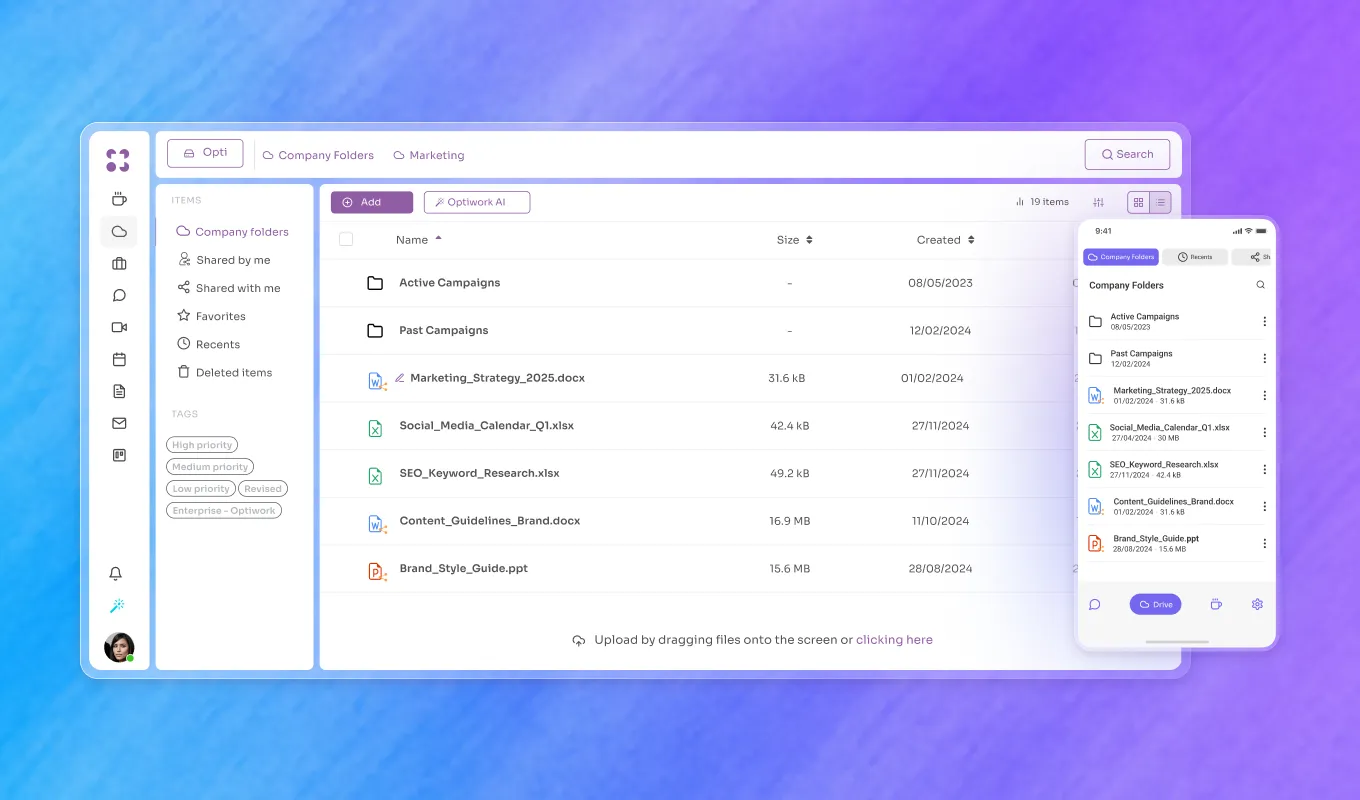
Optidata Work, developed by Optidata, is a comprehensive corporate platform that integrates storage, collaboration, communication, and productivity into a single digital environment.
More than just a “drive,” it was designed to centralize corporate work with a focus on efficiency, organization, and security.
Key Features of Optidata Work:
- Real-time collaboration across multiple users;
- Full version control with change history;
- Granular access control by folder, file, or user;
- File tracking and interaction logging;
- Built-in editing of documents, spreadsheets, and presentations;
- Corporate chat, inbox, and video calls;
- Task and project management with timelines and status tracking;
- Corporate social network for internal engagement;
- Internal documentation and workflow integration.

Key Differences Between Optidata Work and Dropbox
Sharing and Editing
Both offer:
- Folder management
- Deleted file recovery
- Version control
- Secure links
But there are important differences:
-
❌ Dropbox: no native file editing (only the limited Dropbox Paper). Relies on integrations like Microsoft 365 (at an additional cost).
-
✅ Optidata Work: file editing directly within the platform, with no need for external integrations.
Integrations
- Dropbox: requires integrations to deliver a complete experience.
- Optidata Work: is an all-in-one solution that comes with all features built in — storage, editing, communication, task management, and more.
Security
Both offer advanced security and encryption, but:
- Optidata Work:
- 100% compliant with Brazil’s LGPD (General Data Protection Law)
- International certifications:
Tier III Design,Tier III Facility,ISO 9001,ISO 27001,ISO 27701,ISO 22301,SOC 1 and SOC 2,PCI DSS compliant
Pricing
| Platform | Plan | Price |
|---|---|---|
| Optidata Work | Start | R$ 35.00 / user |
| Dropbox | Standard (Teams) | US$ 15.00 / user (approx. R$ 84.85) |
Exchange rate as of 05/04/2025. Source: official websites.
Conclusion: Which Should You Choose?
Both are reliable solutions, but with different value propositions:
Dropbox:
✅ Simple
✅ Stable
✅ Intuitive
🚫 Requires integrations to be complete
🚫 Billed in USD
Optidata Work:
✅ Complete (editing, chat, email, tasks, video calls)
✅ All-in-one
✅ Billed in BRL
✅ Greater control, productivity, and value for money
If your company is looking for centralization, operational efficiency, and scalability, Optidata Work is the more strategic choice.
🎯 Start your free trial NOW.
About Optidata
With 15 years of experience, Optidata is a strategic partner for companies in Brazil and worldwide that are seeking security and modernization through cloud solutions.
💡 We deliver customized solutions with innovation, quality, agility, and the best value for money.
Schedule a demo
See how Optiwork can transform your company's collaboration.